
A workstation is more than a desktop for one person. Its surface, support frame, screens, storage and cable route have to work together, and each element needs to match the room and the way the team uses it. For an office project, compare complete proposed systems rather than counting seats in an image.
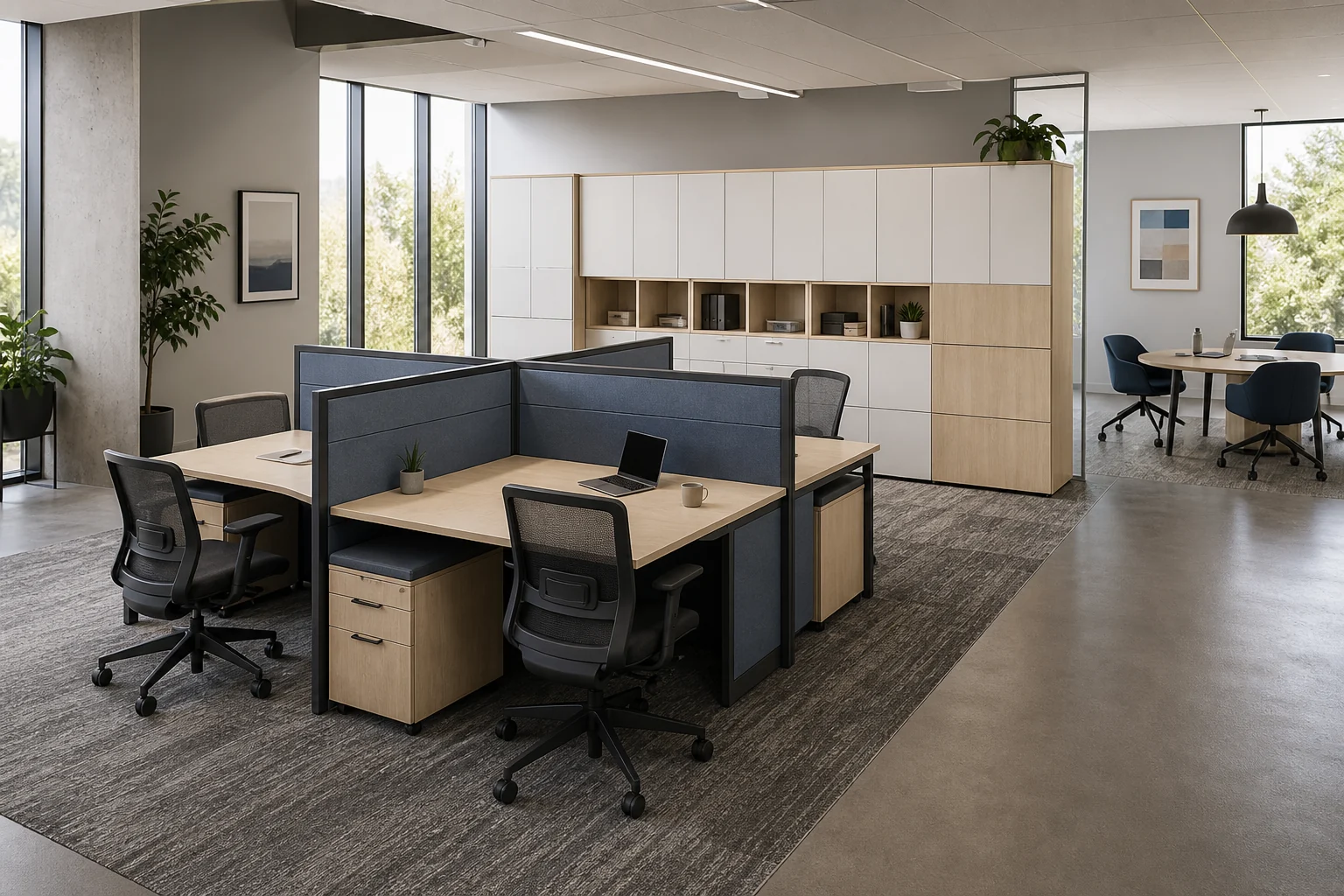
Choose the arrangement before specifying components
The forms below describe different requests a buyer might make. They are not a list of current models; compare proposed parts and dimensions against the same measured plan.
| Form to explore | Why a buyer might consider it | Check before selecting it |
|---|---|---|
| Compact single workpoint | One assigned position or an irregular room edge. | Usable surface after monitors and documents are placed; storage and cable exit. |
| Two positions in a straight line or side by side | A repeatable run of adjacent positions. | Whether users need separate supports, screens and access to cables; the total run length. |
| Two positions facing away from each other | A paired arrangement with a shared centre line. | Each user’s monitor sightline, cable route and access for maintenance. |
| Four-position cross or opposed arrangement | A team cluster assembled from repeated modules. | Corner usability, support-leg locations, screen junctions and how a damaged module would be replaced. |
| Six-position modular group | A larger repeated team group. | Whether the proposed parts can be added, removed or rearranged without replacing the whole group. |
| L-shaped or offset two-person arrangement | More side surface or an offset relationship between users. | Which side the return sits on, the real usable corner, support clearances and whether handed parts can be reversed. |
The same nominal seat count can produce very different parts lists and installation work. A shape is only a starting point; the final configuration depends on the selected product, measured dimensions and approved drawing.

Ask for a complete workstation schedule
For each proposed group, request a drawing and itemised schedule that show what is included at every position:
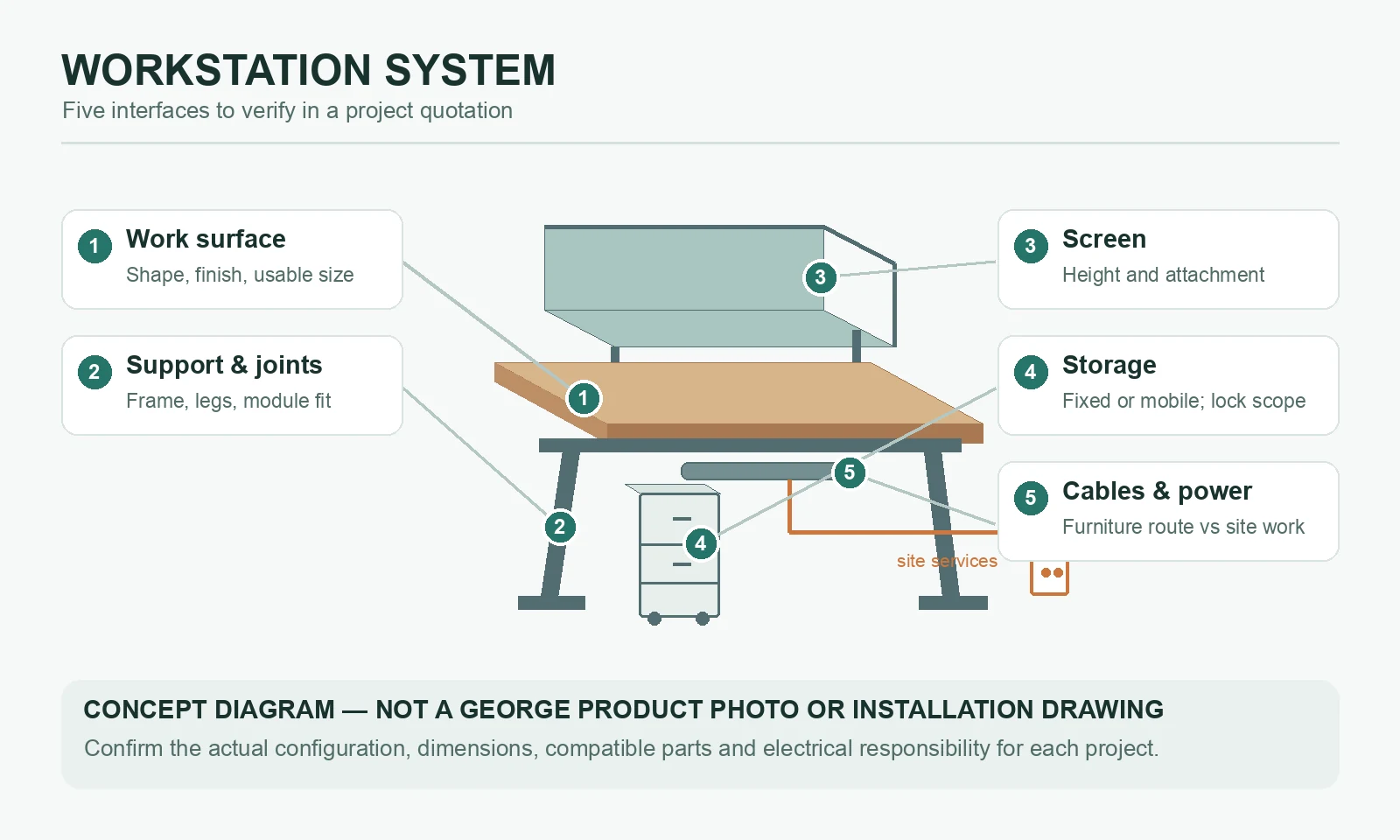
- Work surface: Overall and usable dimensions, surface shape, material and edge finish. Identify any monitor arms, desktop equipment or paper-intensive tasks that affect the required space.
- Support and connections: Frame or leg arrangement, joining parts, floor-contact details and the way one module connects to another. Confirm whether a proposed extension uses compatible parts.
- Screens: Their locations, attachment method, height and material. A visual divider is not, by itself, evidence of a particular acoustic or fire performance.
- Storage: Personal drawers, shared storage and any requested lock. State whether storage is fixed to the system or can move independently, and where its keys or access controls are managed.
- Cables and devices: Entry point, pass-throughs, trays, access panels and space for power and data equipment. Mark what the furniture supplier provides separately from building electrical and data work.
- Finish and upkeep: Proposed surface and frame finishes, sample approval, cleaning method and replaceable parts. Confirm the actual product and finish before assigning a maintenance instruction.
Resolve the interfaces that change a quote
Furniture cable openings do not establish that outlets, wiring or network connections are included. Show existing and proposed service points on the measured plan, then identify who designs, supplies, connects and tests each electrical or data element. Where a screen, monitor arm or storage unit connects to the workstation, request the exact attachment detail rather than assuming parts from different systems fit together.
Also compare the approved parts list with the delivery plan. Long runs, assembled modules and large worktops may have different access and assembly needs from loose desks. Confirm lift and doorway dimensions, delivery phases, on-site measurement responsibility and any installation charge in the project quotation. GEORGE Group can discuss design through on-site installation, but the actual deliverables and separately charged installation scope must be agreed for the project.
Compare proposals on the same basis
Before choosing a system, put each proposal beside the same workpoint schedule. Check the number of positions and modules, desktop dimensions, screens, storage, cable components, finish samples, drawings, packaging, and assembly or installation scope. Mark omissions and substitutions explicitly. A lower total is not comparable if one quotation excludes components or site work that another includes.
For a useful first review, prepare the measured plan, number of current and possible future workpoints, preferred arrangement, equipment at each position, locations of power and data, desired screens and storage, project location and delivery phases. If a dimension or responsibility is still unknown, label it as an open item. GEORGE can then check available components and prepare a project-specific proposal.
Request a workstation comparison and tell us which alternative arrangements you want considered.